 TRYORA
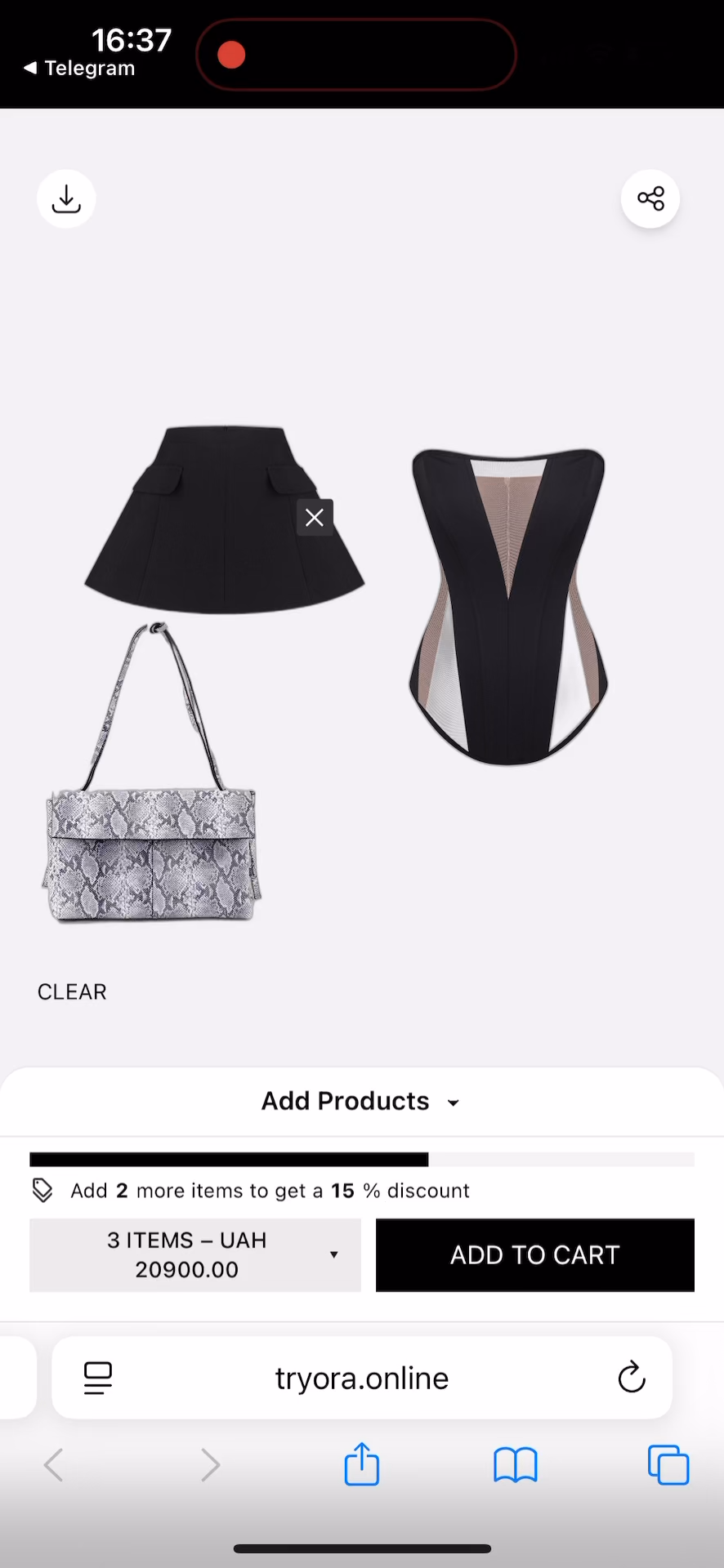



Sell looks, not lonely SKUs
Tryora is an interactive style-board where your customers create complete outfits from your catalog — and add everything to cart in one click







No more "what goes with this?" drop-offs.
Just bigger carts and happier shoppers.
No more single-item orders
Elephant in Your
Checkout
Most of your customers leave with just one item. Not because they don't want more — but because they don't know what else goes with it.

Problem Status
That's the fashion eCommerce average. One shirt. One pair of jeans. One missed opportunity.
They love the top. They just can't picture the outfit. So they leave.
Fashion has the worst retention in eCommerce. Most customers never come back.
Getting customers to your site costs more than ever. Make every cart count.
"The problem isn't your assortment. It's not your prices. It's that when customers hesitate on how to wear something — they walk"
 OLEKSANDR T.
eCom Director, premium fashion store
OLEKSANDR T.
eCom Director, premium fashion store
The Style-Board That
Actually Sells
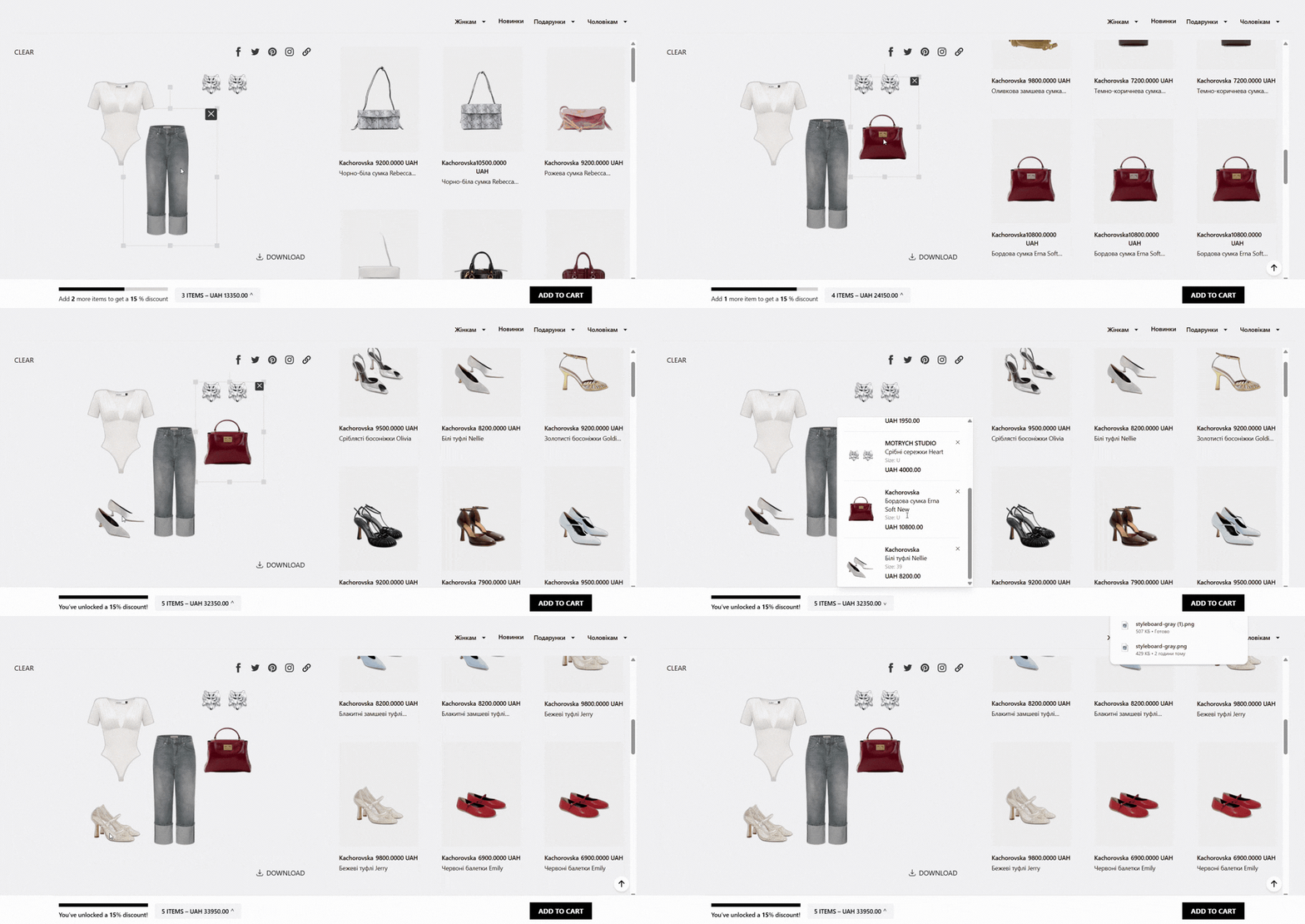
Think Canva meets Pinterest — but for shopping
Tryora is an interactive canvas where your customers drag items from your catalog, build complete outfits, and buy everything in one click. It's visual, it's fun, and it turns "just browsing" into "add all to cart."
What Makes It
Different
Not a chatbot, not a quiz
It's a visual, drag-and-drop experience your customers already get. Zero learning curve. First outfit in 30 seconds.
One-click "Add All"
Complete outfit goes to cart in one tap. No adding items individually.
Your UGC machine
Every outfit your customers create becomes shareable content for your brand.
AI that gets smarter
The more your customers use it, the better the suggestions become.
Works for your whole team
Stylists, merchandisers, sales teams, influencers — everyone gets value.
Virtual Try-On
Customers upload a photo and see the outfit on themselves in seconds.
Auto-styled product pages
AI generates complete outfit suggestions for every product in your catalog.
Browse & Drag
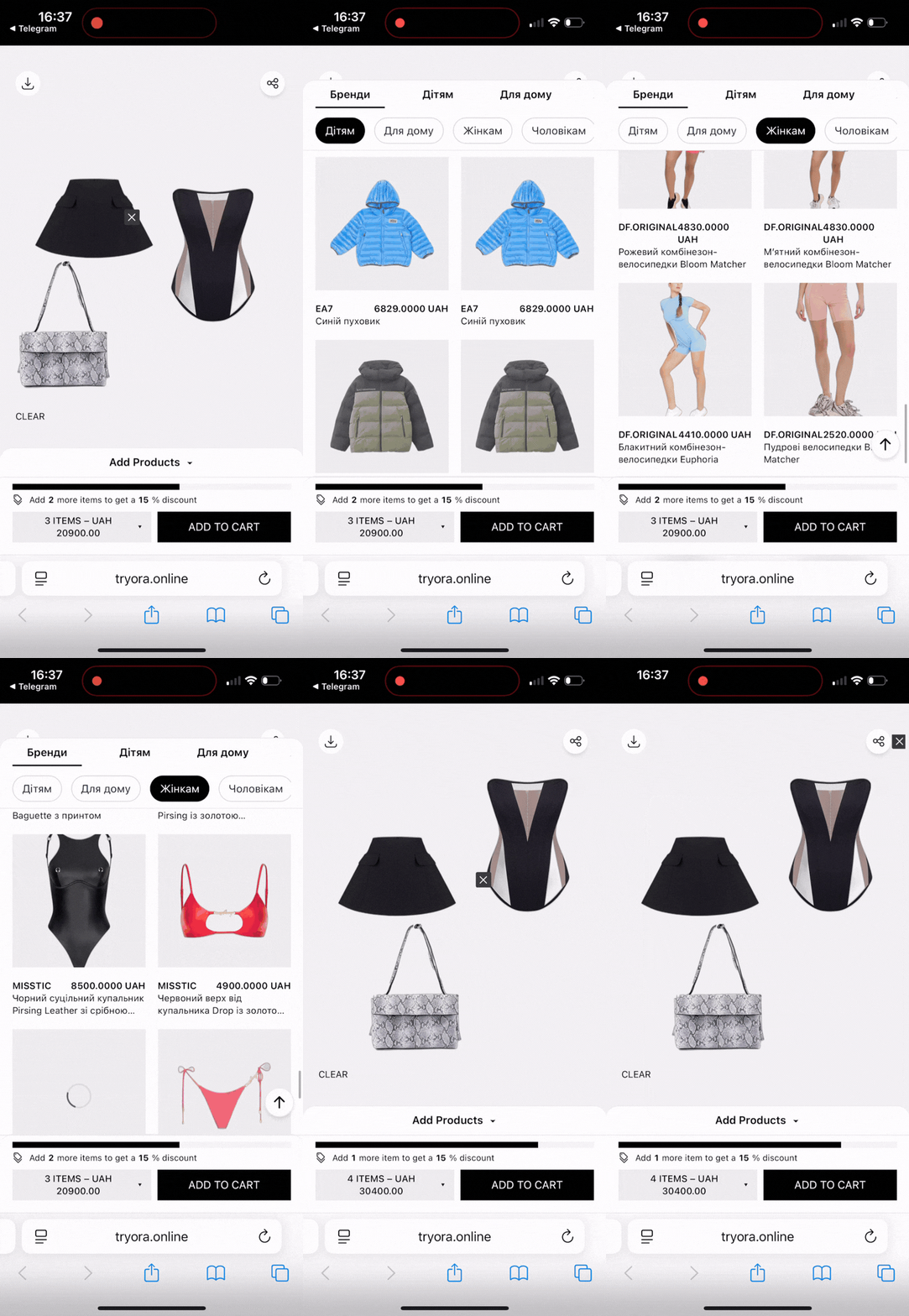
Your customer browses your catalog (right there in the widget) and drags items onto the canvas. A top here, pants there, maybe those earrings? They're playing dress-up — but with your real products.
Style & Share
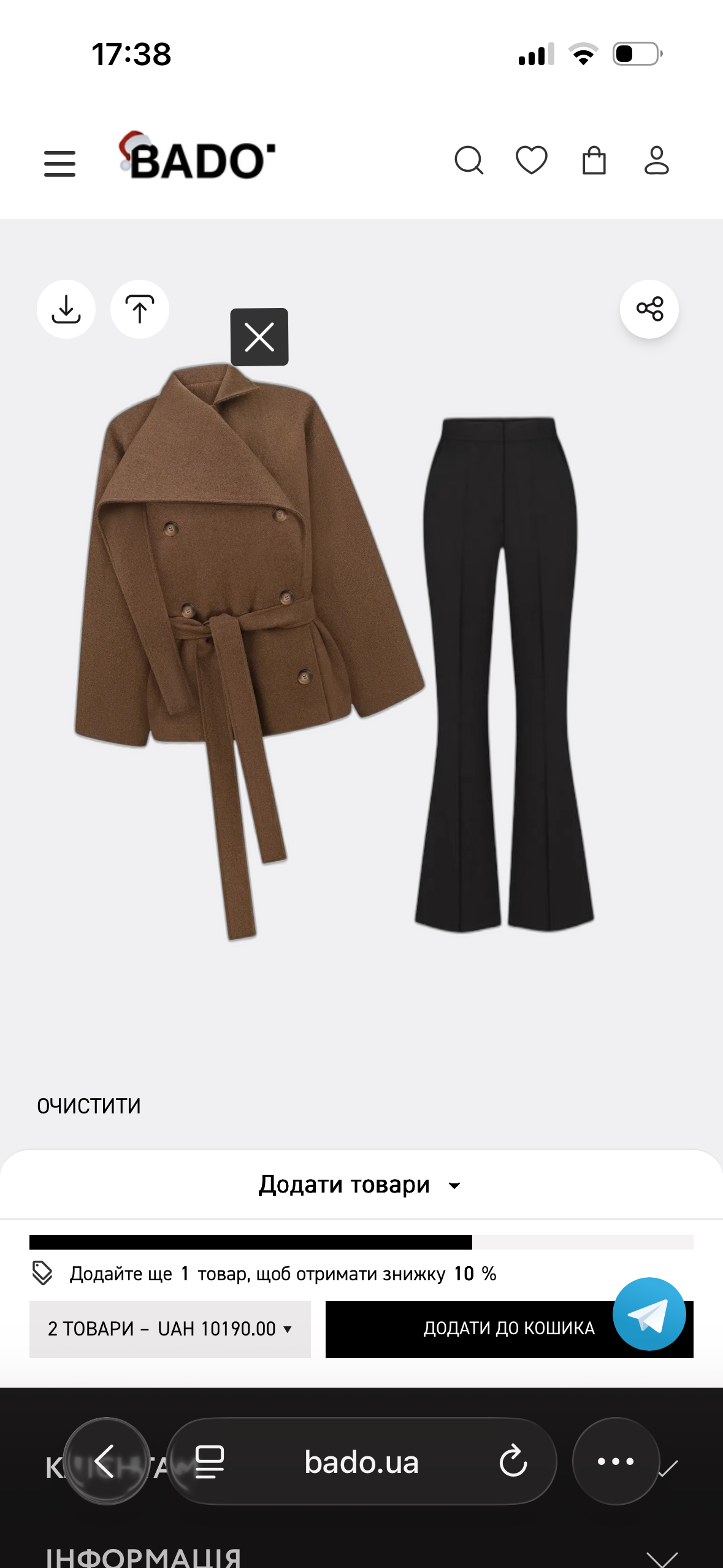
They arrange the look, swap pieces, get AI suggestions for what goes with what. When they love it, they can save it, share it with friends, or post it on social. (Hello, free UGC.)
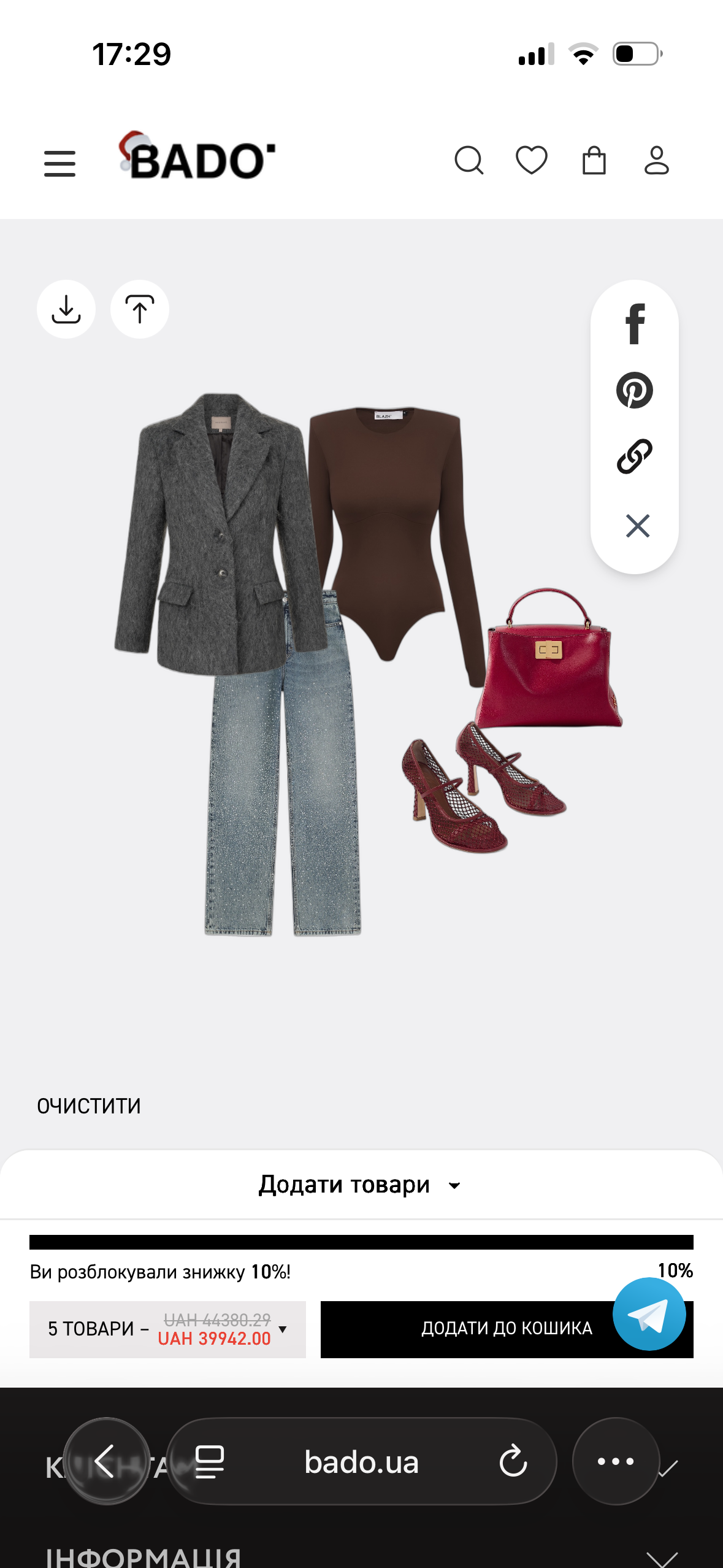
Buy It All
One button. The whole outfit lands in the cart. No second-guessing, no "I'll come back later." They see the complete look, they know it works, they buy it. Done.
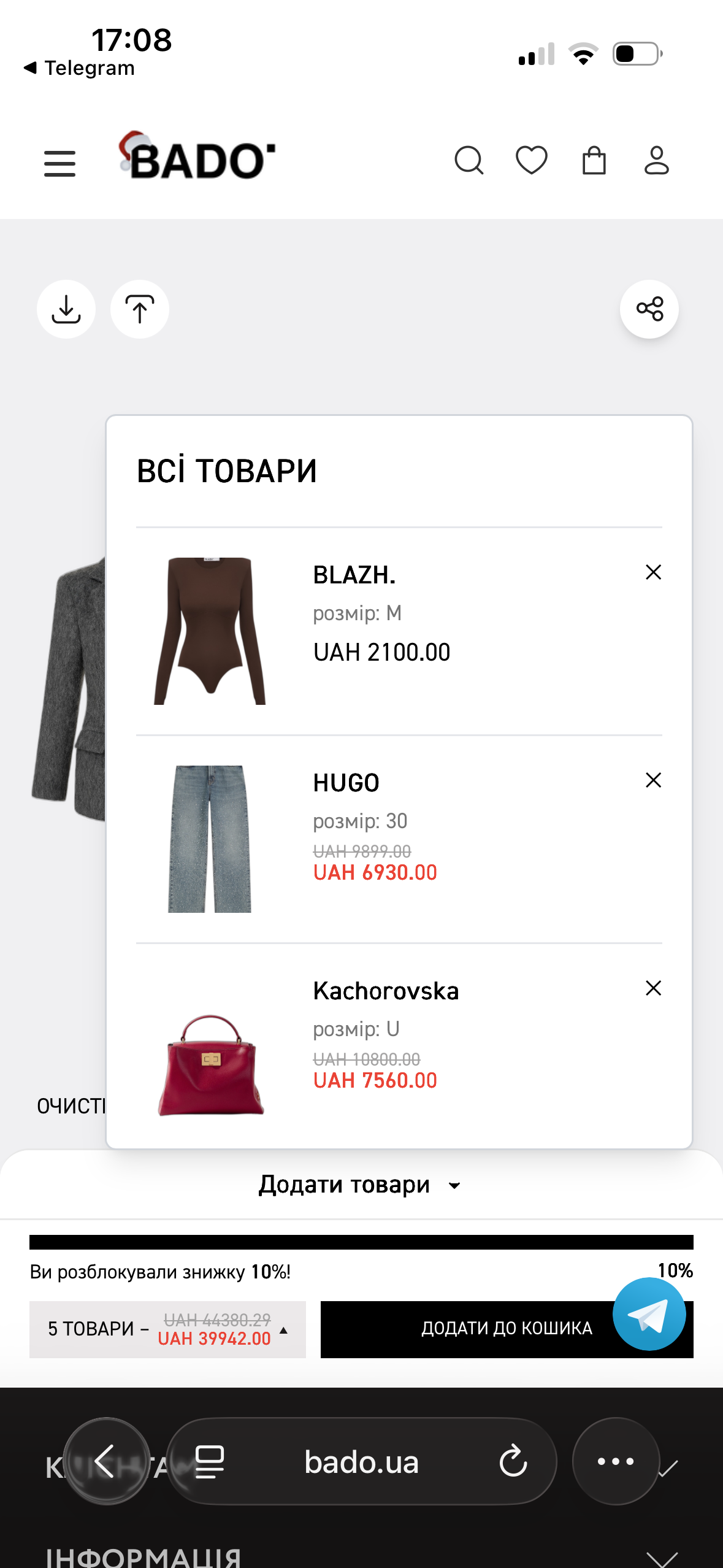
Try It On
Love the look? Tap "Try it on" and upload a photo. See the entire outfit on your body in under 15 seconds. Save it, share it, or go straight to checkout. The fitting room comes to you.
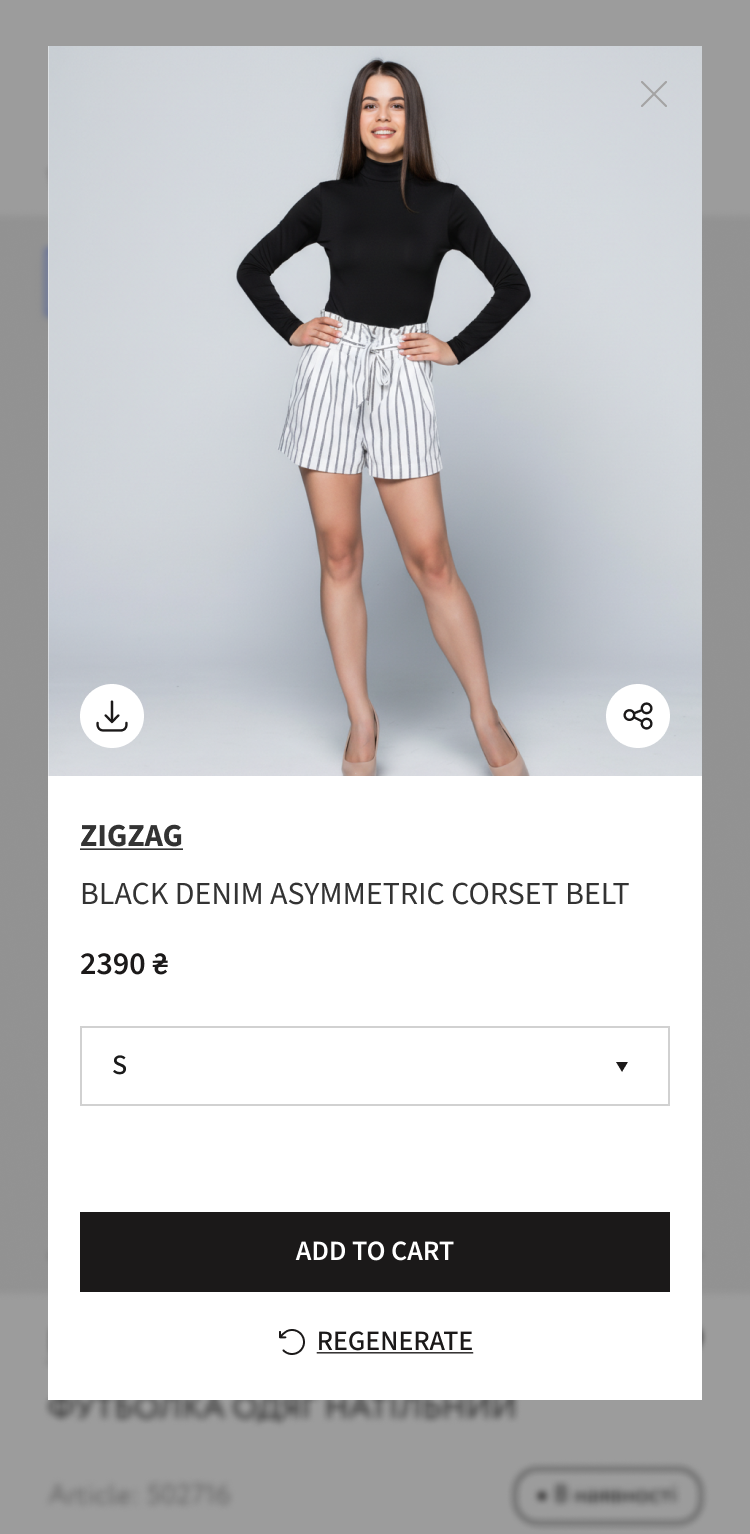
See Yourself In It.
Before You Buy It.
Your customers don't just want to browse outfits — they want to see themselves wearing them. Tryora's Virtual Try-On lets them upload a photo and instantly see how any item looks on their body.
On Any Product Page
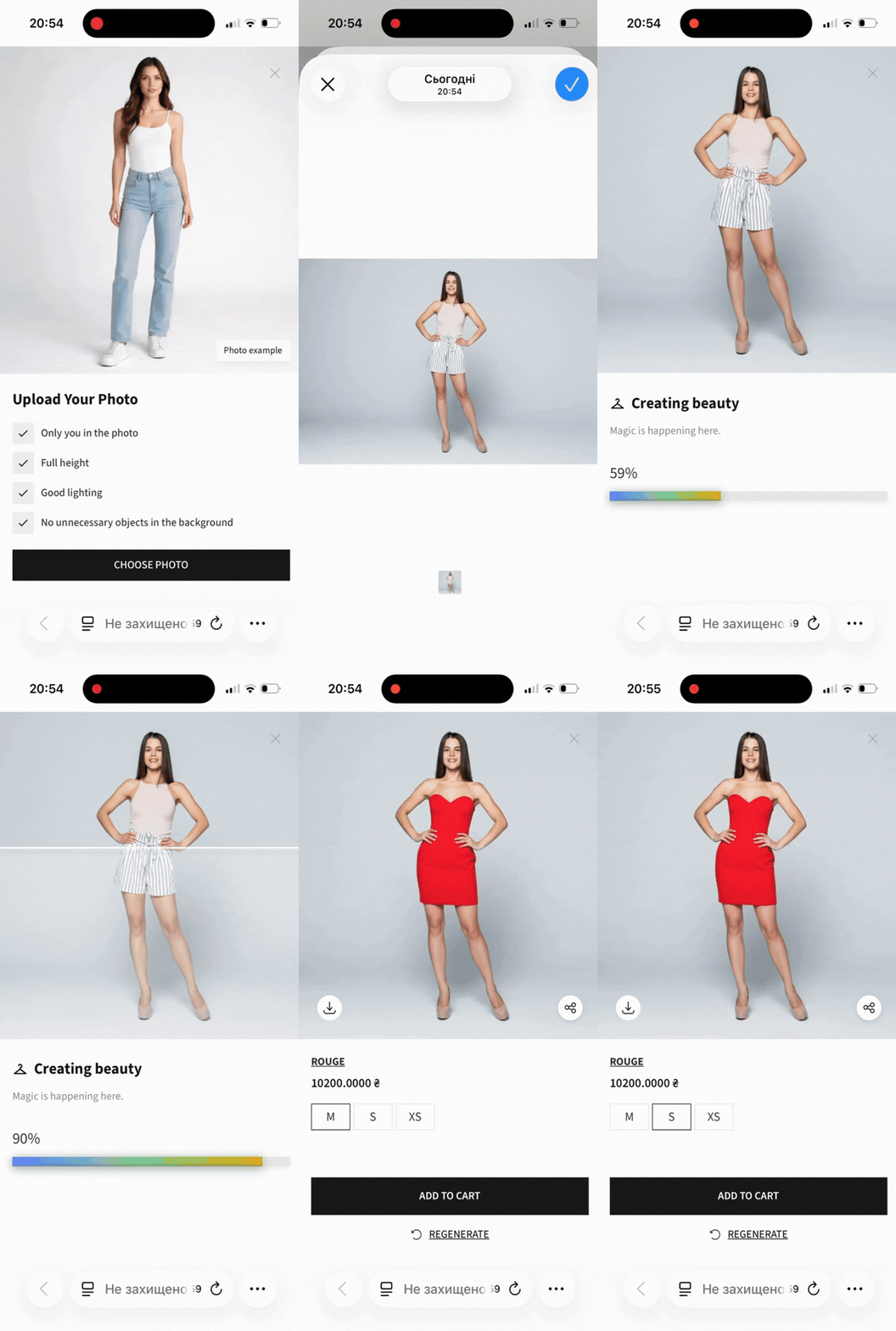
Your customer taps "Try it on," uploads a full-body photo, and in under 15 seconds sees themselves wearing the item. They can save the image, share it with friends on Telegram, WhatsApp, or Instagram — or add the item to cart right there.
On The Style Board
The try-on feature works seamlessly within the style board too. Customers can try on complete outfits they've assembled, seeing how everything comes together on their body before buying.
Why It Changes
Everything
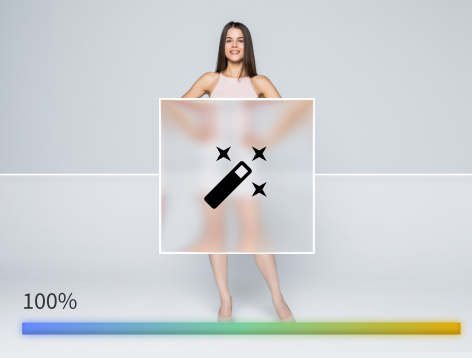
Confidence = conversion
When customers see themselves in the outfit, hesitation disappears. Industry data shows virtual try-on can boost purchase confidence by up to 27% and reduce return rates by 17–30%.
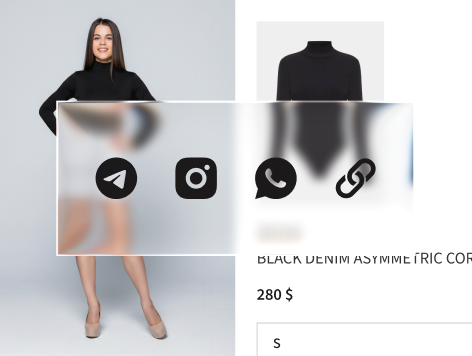
Viral sharing built in
Every try-on image becomes shareable content. Your customer sends "look what I found!" to a friend with a direct link to your product page. Free traffic, zero ad spend.

Privacy-first
We don't store customer photos. Images exist only during the session and are automatically deleted. No data headaches, no GDPR concerns.
The Numbers
That Matter
"Online apparel returns cost retailers ~$25 per item to process. Virtual try-on doesn't just sell more — it prevents the returns that kill your margins."
OLEKSANDR T.
eCom Director, premium fashion store
Complete The Look — On Autopilot
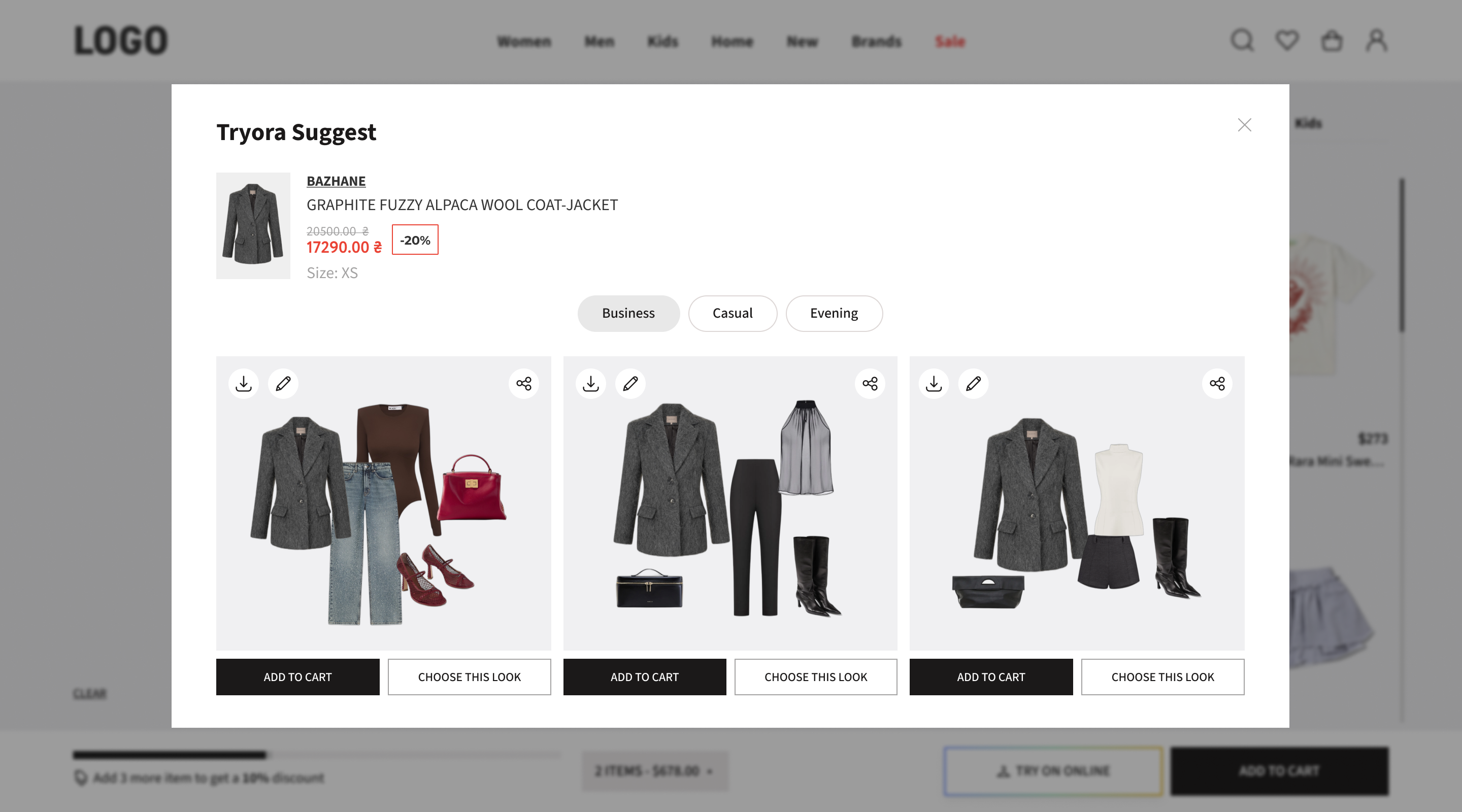
You don't need a stylist for every SKU. Tryora's AI analyzes your catalog and auto-generates complete outfit suggestions for each product — displayed right on the product page.
Your Catalog Goes In
Tryora reads your product feed — categories, styles, colors, seasons — and understands what goes with what.
4 Styled Outfits Come Out
For each product, AI generates 4 complete outfit suggestions across different styles.
Displayed as a Native Widget
The widget sits on your product page looking like it was built by your team.
Why This Is a
Game-Changer
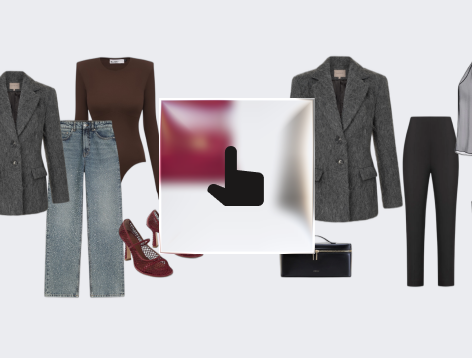
Zero manual work
No one on your team needs to style 5,000 products. The system does it overnight, regenerates when stock changes, and stays up-to-date automatically.
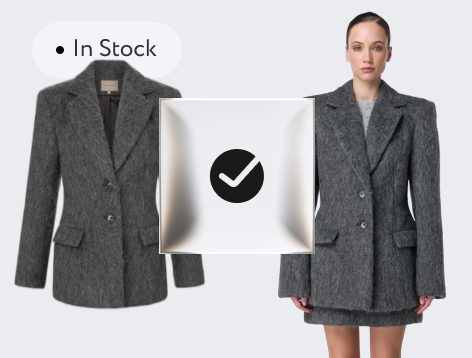
Always in stock
If an item in an outfit goes out of stock, the system replaces it with the closest available match. No dead links, no disappointed customers.
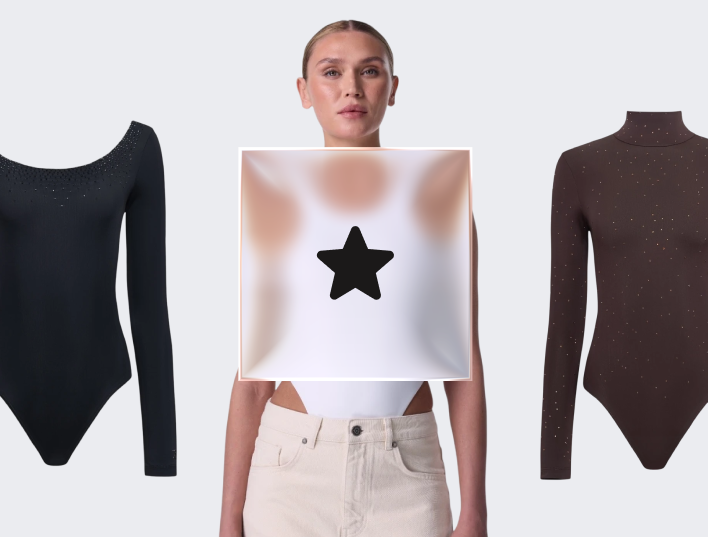
First position on PDP
The widget sits above "Recently Viewed" and "You May Also Like" — because showing a complete outfit beats showing random similar items every time.
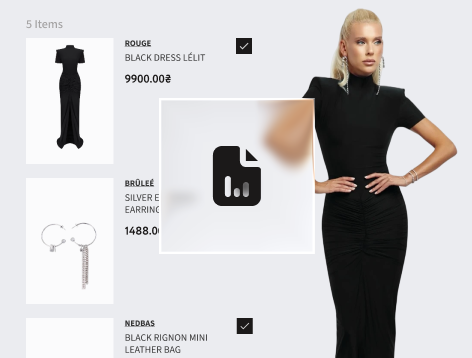
Merchant control
You set the rules: which categories get outfits, how many items per look, what style mixing is allowed. Override any auto-generated outfit from your admin panel.
"Think of it as hiring a virtual merchandiser that works 24/7, styles your entire catalog, and never takes a sick day."
 ELEONORA K.
eCom Director, premium fashion store
ELEONORA K.
eCom Director, premium fashion store
Built for Everyone Who
Touches Your Sales
For Fashion Brands & Retailers You want bigger orders without discounting everything. Tryora delivers.
For Marketplaces (like TSUM, Farfetch, etc.) Cross-brand styling is your secret weapon. Let customers mix and match from your entire catalog.
For Stylists & Influencers Create lookbooks in seconds. No Photoshop, no hassle.
For Sales & Clienteling Teams Your most underutilized sales channel? Your existing customers. Now you can reach them.
Results You Can
See in Week One
When customers see a complete outfit instead of a lonely product, they're 3x more confident to buy. Confidence = lower cart abandonment + more items per order. You'll see it in your analytics within days.
You don't wait months for ROI. We integrate with your existing GA4, so you can track every outfit view, every "add all," every conversion. No guessing.

CEO Tryora
Live Tomorrow.
On Any Platform
Look, we know you've been burned by "easy integrations" before. Here's what we actually mean:
Any platform
Shopify, Magento, WooCommerce, Salesforce, OpenCart, custom builds. We don't care what you run. We work with it.
Shopping feed integration
Connect through your existing product feed. Your catalog syncs automatically. Prices, stock, new arrivals — always up to date.
One day to go live
It's a lightweight widget (iframe/JS). Your dev copies a snippet, configures the placement, done. No code rewrites.
Cart integration just works
Items added through Tryora land in your regular cart. Same checkout, same payment, same everything.
No GTM conflicts
We've built this to play nice with your existing tracking. Actually, we add more events you can use.
Modular Pricing
Mix and match modules to fit your strategy.
Pay only for what you use.
Style Canvas
Base module
- Interactive styleboard canvas
- Unlimited views & boards
- "Add entire look" to cart
- Social sharing (FB, IG, TT...)
- Full analytics dashboard
- All CMS integrations
- 14-day free trial
Look Generation
Add-on (requires Canvas)
- Rule-based outfit generation
- Auto-populated PDP widgets
- Category-based styling rules
- Unlimited look generation
- Works with full catalog
Virtual Try-On
Standalone or add-on
- AI-powered virtual fitting
- Users upload their own photo
- Works on PDP & canvas
- Try full outfits, not just items
- Powered by Google Vertex AI
We even give you a 15% grace buffer — if you go slightly over your limit, we won't auto-charge you. We'll just give you a heads up to upgrade.
CEO Tryora
Questions? We've
got answers
01 How long does integration really take?
One working day. Sometimes less. It's a widget that embeds via iframe or JS snippet. Your developer copies a few lines, configures placement, and you're live. No code rewrites, no database changes, no stress.
02 Will it slow down my site?
No. The widget loads asynchronously and doesn't affect your page performance.
03 What platforms do you work with?
Shopify, Magento, WooCommerce, Salesforce, OpenCart, and custom builds.
04 How do I track results?
We integrate with GA4 and provide a full analytics dashboard.
05 What's a Billable Canvas View (BCV)?
A BCV is counted each time a customer opens the style board widget.
06 Do I own the UGC that customers create?
Yes. All outfit images and style boards created on your store belong to you.
07 Can my sales team use this without customer involvement?
Yes. Your team can create and share lookbooks directly with clients.
08 What if I go over my BCV limit?
We give you a 15% grace buffer. No auto-charges — just a heads up to upgrade.
09 Is there a free trial?
Yes. 14-day free trial on all modules.
10 How does Virtual Try-On work?
Powered by Google Vertex AI, customers upload a full-body photo and see the outfit rendered on themselves in under 15 seconds.
11 How does the auto-generated outfit widget work?
Our AI analyzes your catalog and generates 4 styled outfits per product, displayed as a native widget on the PDP.
Ready to Sell Outfits
Instead of Orphan SKUs?
Let's do a quick 15-minute call.
No pressure, no sales pitch — just a real conversation about whether this makes sense for you.